
Publish Skilly To Social Channels
We're continuing our series of articles on all the ways you can deploy your skilly for maximum engagement and impact. We previously covered publishing skilly to the web, and today we'll be focusing on your social and 1:1 communication channels. Read on!

Publish To Social Media Platforms
Whether your organization socializes on Instagram, TikTok, LinkedIn, YouTube or Facebook, skilly can live there as a conversational touchpoint for subscribers who want to engage more deeply and intentionally.
Remember one of the built-in benefits of skilly is the ability to create distinctive URLs, which we highly recommend. Why? Think of each specific URL as a lens you can view your visitors through. For instance, if you create a unique URL for your Instagram profile, all of the conversations and reporting insights it generates will be specifically attributed to your Instagram audience. This is a great tool for marketers who want to measure their social media engagement at a more significant level than likes & views, which is difficult to do with native analytics tools otherwise.
To create a unique URL, navigate to AI Agent > Customize, scroll down to your skilly URLs, and click "Add Skilly URL":
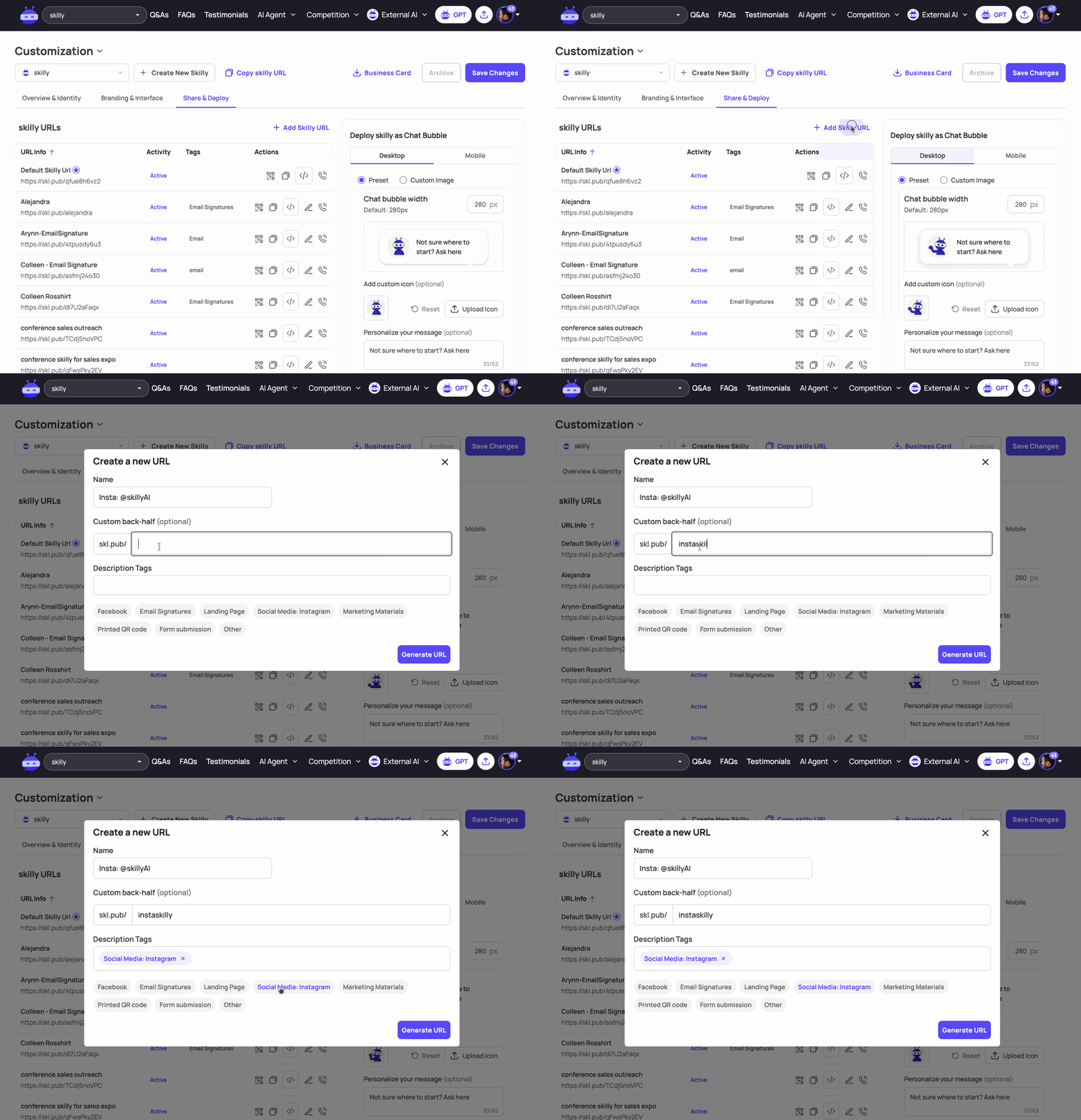
The name and description tags on the URL help your team find & filter the link later, and if you want to choose a vanity URL rather than a randomized character string, just edit the Custom back-half field.
For Instagram and most other social media platforms, this URL can now get plugged directly into your profile, bio, or About page. On YouTube for instance, the end result looks like this:
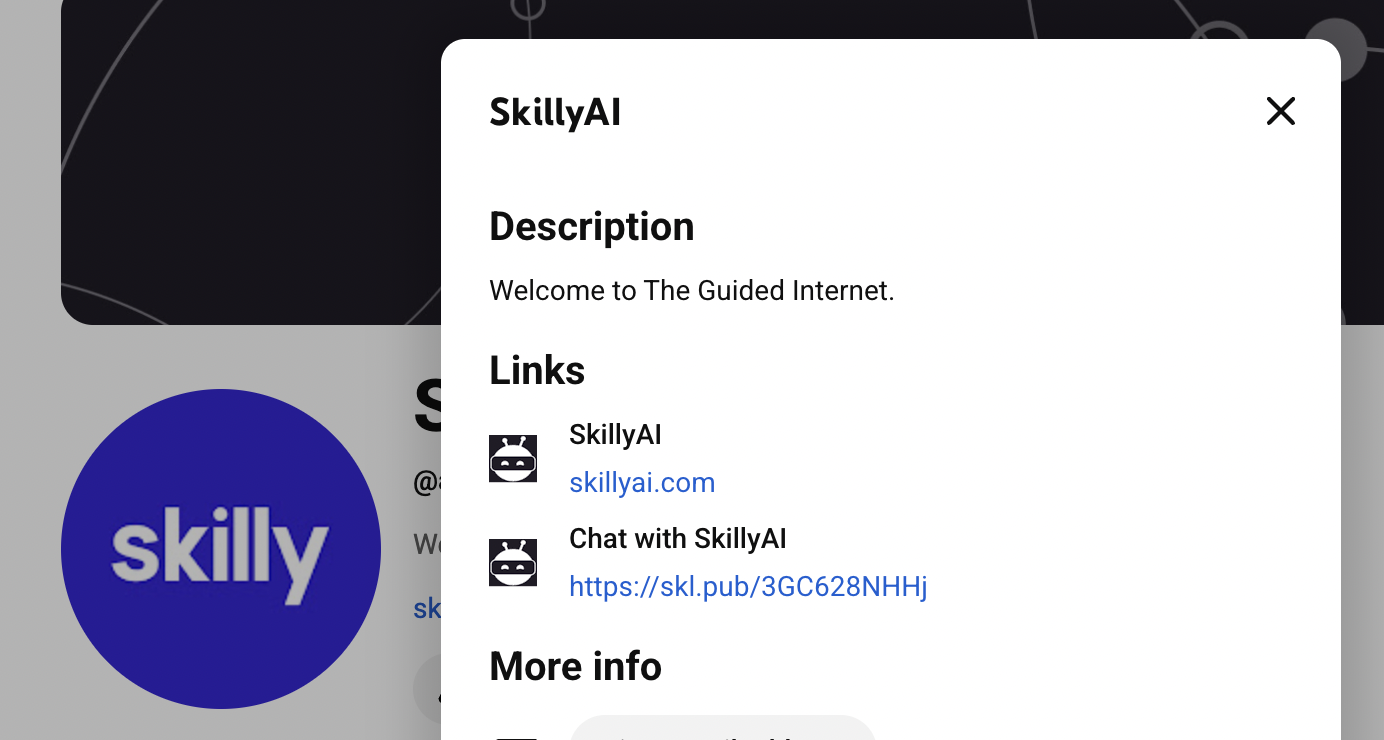
For LinkedIn, note that your company profile's bio will be found under "Edit Page", at which point you'll look for "Buttons" and choose the call-to-action you'd like to use as the label for your skilly URL:

Publish In Your Email Signatures
Adding skilly to your org's email signatures provides public-facing staff with a communication channel that works 24/7, speaks 400+ languages, and allows recipients to ask questions that they may otherwise feel aren't worth taking up your time.
Again, there's no cost or complication involved in giving each of your team members their own skilly URL for email signatures (in fact, everyone on the skilly team has their own personal URL in their signatures).
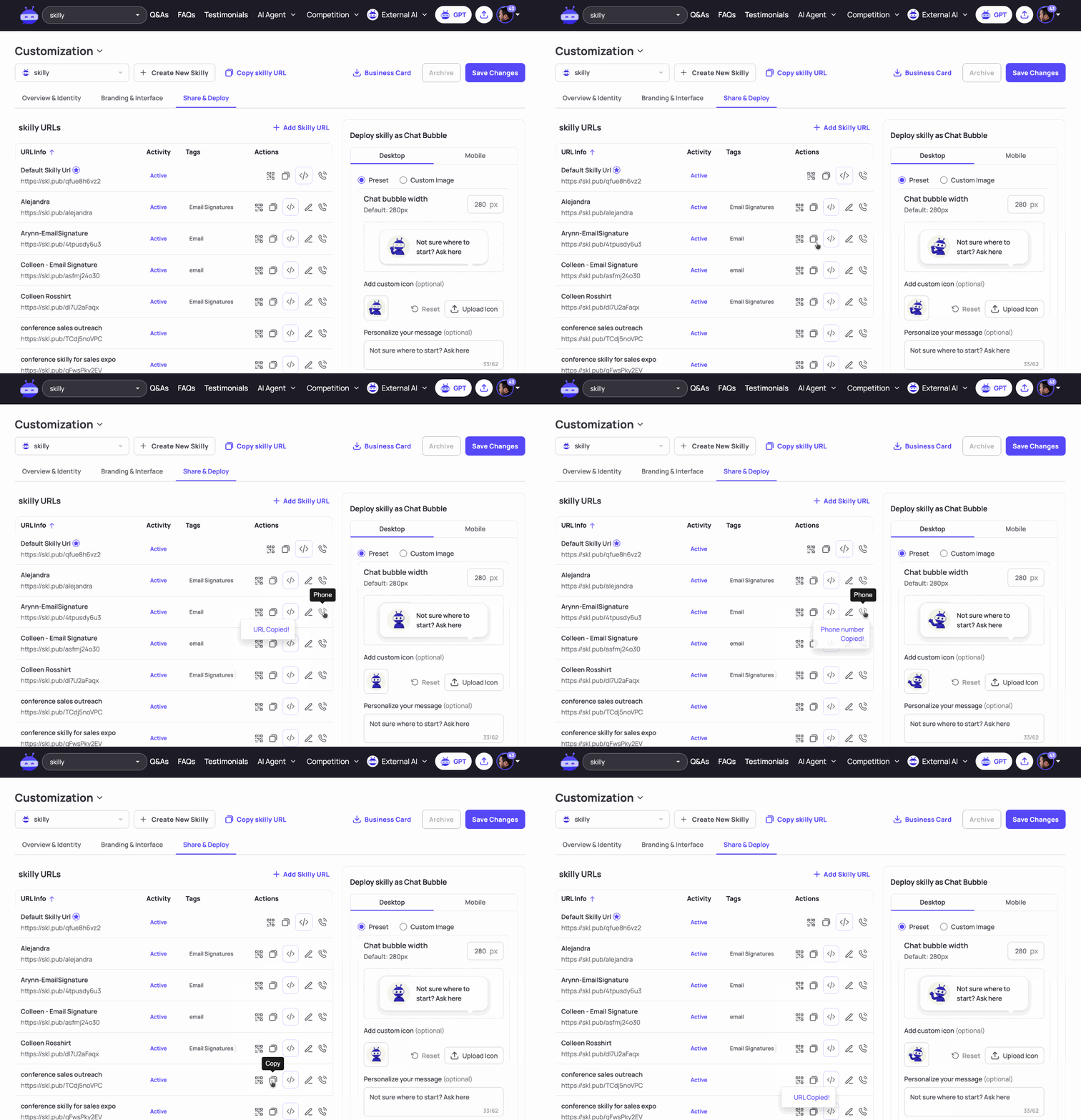

Each department's signature will likely have a specific call-to-action that resonates best with its audience. What rings true across your org is that the link in an email signature lets your reader know they can have a dialogue with your organization outside the times and limitations of the people working there. As a great example, if your org is short on Spanish speakers, you could simply offer a "Se habla español" signature link that opens a skilly landing page.
Publish A Textable Phone Number
Every skilly comes with an SMS number users can text for a light version of the same conversational experience they'd get on your website. Here's a chat with The Lindsay Theater from a user interested in today's matinees:

What's great about the SMS capability is that users can save the number as its own vCard, making your organization a trusted contact in the user's phone, and easy for them to revisit whenever they have a question, or even a fleeting thought about how your org can help them. Knowing this, it's a good idea to add the phone number to certain team members' email signatures, and in social posts where you want people to engage further on a personal level where a comment thread wouldn't be practical.

The possibilities for deploying your skilly on social & communication channels are virtually endless, so it's worth taking the time to create all the URLs your team can come up with; in fact, we've seen clients turn it into a fun team-building challenge: "how many use cases for publishing an AI Guide can you dream up"?
Stay tuned for more deep-dive articles on publishing your skilly!