
Publish Skilly On Site, Social & More: The Basics
You've given skilly an on-brand identity and trained it like a valued new hire... now the obvious question is, how do you put it in front of your users? We'll dive into the growing number of publishing options in this article. Already familiar with the deployment methods? Skip to our Big List Of Launch Tactics at the bottom of this article for a heavy dose of inspiration.
From the AI Agent > Customize page, scroll to the bottom and find the publish options:

The first and simplest option you'll notice is that your skilly has a Default Skilly URL. Since skilly works across all major devices, there are virtually no limits to where you can share this URL. Some of the places our clients tend to share their skilly link most are:
- In email campaigns and personal email signatures
- In blog posts and Contact Us webpages
- In automated text messages and community portals
- In social media bios and posts
- In digital marketing materials like PDFs
- In event & trade show materials like kiosks and on-stage presentations
- In partner websites
No matter where in the digital world your users are, they can reach your skilly guide through the URL.
When you create multiple skillies, each of them will auto-generate their own URL.
Adding Another URL
You may have noticed the "+ Add Skilly URL" button in your publishing options. This is a highly useful option when you want to share your skilly at a particular time or place... especially if you want to analyze the user engagement of that time or place without your default audiences muddying the data.
For example: you’re running a 90-day fundraising campaign and choose to create a new skilly URL for that goal. This lets you track how your marketing performs. Use this skilly url for your campaign and use that same link in your social posts, emails, ads, and landing pages. Then, visit Insights to see how many people clicked, chatted, and engaged with your campaign.

Other Ways To Share Your Skilly
On-Site Chat Bubble
If you want skilly to be ever-present in the corner of your website like a standard chat experience, you'll find it's simply a matter of copying and pasting a snippet of javascript. But if you don't have access to your website's HTML, or you're not comfortable with pasting code, you can always contact the skilly team for guidance. Either way, we highly recommend publishing skilly as a conversation tool because it serves to fill the gaps in your website experience, and has proven to keep users more engaged.
Search Bar
The types of use cases that lead people to search on your website are very closely aligned with the use cases that lead people to start a chat conversation; what's more, since skilly can interpret and infer the user's questions from a broad knowledge base, the result is often much more favorable for the user than using a standard search bar where the input text has to perfectly match a piece of content currently on your site. For these reasons, many of our clients deploy skilly as a search bar on their website, in addition to the chat icon.
Of course, you have plenty of customization options available to keep this search bar on-brand, and it's simple to deploy:

Social Media
If your team or your materials are out in public, the ability to scan a QR code makes engagement a breeze
- Instagram & TikTok: most accounts will use the URL field in their bios to connect to a multi-link landing page such as LinkTree. Adding your Skilly URL to this list of links with context like "chat with us now" or "ask us anything" offers a way for users with top-of-mind questions to go straight from your feed to a conversation.
- LinkedIn & Facebook: since both platforms allow for paid posts, you can use a dedicated skilly URL in these posts as a chat-based landing page, then measure the impact on our Insights page... all without having to set up much of the marketing ops process typically involved in a landing page.
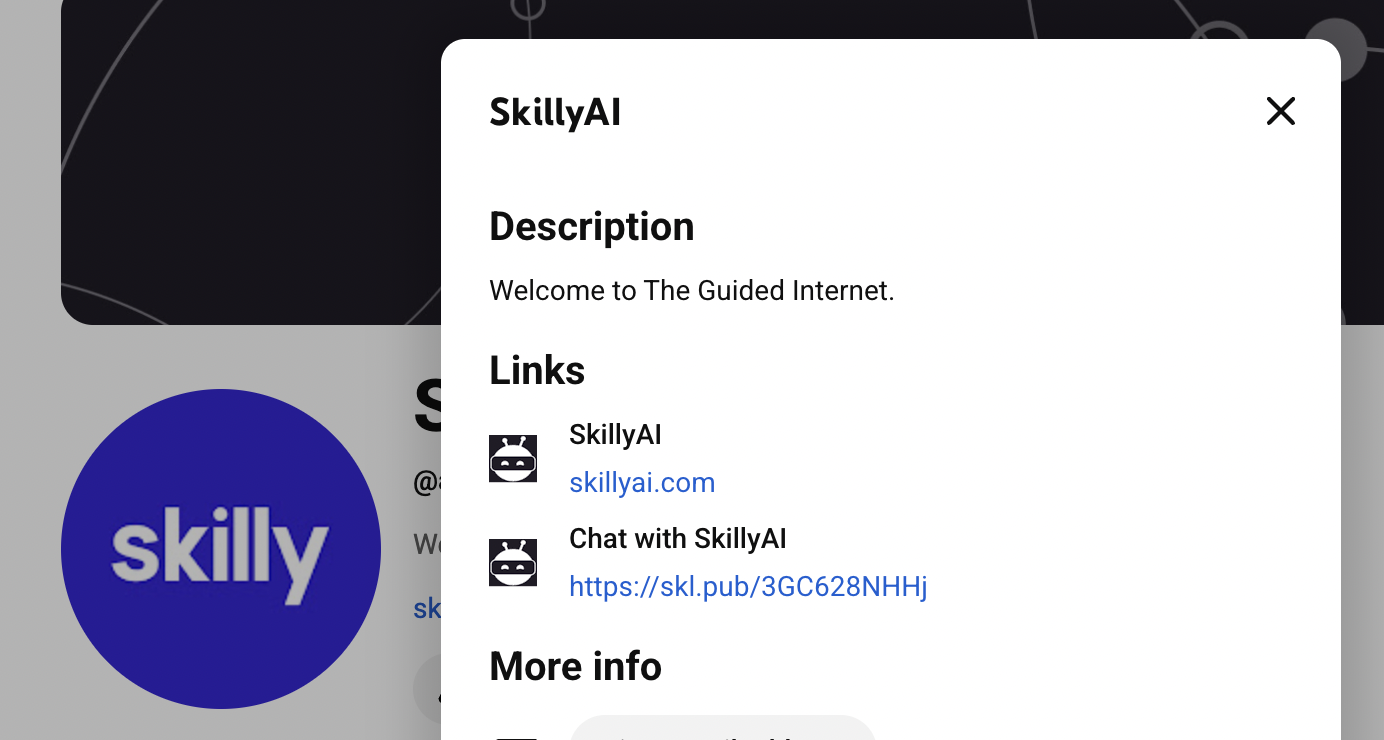
- YouTube (pictured below): YouTube lets you add multiple links to your bio, making it easy to add your skilly URL for visitors who'd rather chat to engage than search around your main site.
QR Code
If your team or your materials are out in public, the ability to scan a QR code makes engagement a breeze for your audience. Just click on the QR code icon, and you'll have an image you can download to place on any real-world in-person materials. This is a great option as a final slide in a public presentation, or on stickers, apparel, and any other printed marketing content. To put it simply, the QR code can act as your skilly link wherever clicking a link isn't a realistic option; whatever you can dream up as an engagement opportunity, your QR code can likely solve for it.
The Big List Of Skilly Launch Tactics
Ok, so now that you know where to find the tools to publish your skilly, it's time to dive into our growing list of tactics with convenient how+why explainers. How many of these have you already tried? How many can you think of that we haven't listed here?
Core Website Engagement
“Ask Me Anything” or Contact Pages
- How: Create a dedicated page with a big “Start Chat” button for open-ended Q&A or simply place your AI employee next to wherever phone numbers, emails, or addresses are.
- Why: Functions as a stand-alone resource, driving curiosity and deeper exploration.
Homepage Chat
- How: Embed your Skilly in the site’s main layout (iFrame) or through a floating chat icon (Javascript).
- Why: Creates an immediate touchpoint so new visitors can instantly ask questions or explore instead of getting lost in confusing navigation.
Landing Pages
- How: Insert a Skilly iframe or link in dedicated landing pages, tailoring the initial greeting to that page’s offer (you can pair it with Skilly generated FAQ pages or testimonials).
- Why: Boosts conversions by providing real-time info on promos, events, or program/product benefits.
Pop-Ups & Modals
- How: Use a pop-up script that triggers your Skilly chat box upon scroll depth or exit intent.
- Why: Captures user attention right when they’re most engaged or about to leave.
Product/Program Pages
- How: Place an embedded chat under product descriptions or “More Info” tabs.
- Why: Reduces buyer hesitation by answering specific questions about features, specs, or pricing.
Thank You Pages
- How: After form submissions or purchases, embed your Skilly with a prompt: “What else would you like to explore?”
- Why: Encourages immediate upsells, cross-sells, or further engagement.
Pop-Over Banners
- How: Add a lightweight banner at the top or bottom of a page, linking to your Skilly.
- Why: Subtly reminds users they can ask questions without disrupting their browsing.
Blog Posts
- How: At the end or sidebar of articles, invite readers to continue the conversation with a chat link.
- Why: Increases session duration and keeps readers engaged with related content.
Pricing Pages
- How: Embed your Skilly near each pricing tier, greeting users with “Need help picking a plan?”
- Why: Alleviates cost-related confusion and helps users understand the best tier for them.
Footer Chats
- How: Add a persistent chat icon in the site’s footer so it’s visible on all pages.
- Why: Offers easy access to help or info without forcing a separate navigation step.
Embedded Knowledge Nuggets
- How: In long-form content, insert a small chat window or link mid-article to answer deeper questions on the spot.
- Why: Offers clarifications right when user curiosity peaks.
Scrolling Chat Assistant
- How: Use a “sticky” chat container that follows the user down the page.
- Why: Increases chat usage because the button is always in view.
Dynamic Search Overlays
- How: Integrate Skilly suggestions into or beside your site’s search bar.
- Why: Guides visitors to better search results or relevant resources.
Exit Intent Chat
- How: Detect when a user’s cursor moves to close or switch tabs, and trigger a chat prompt.
- Why: Offers last-ditch support or an enticing offer to prevent abandonment.
Comment Section Integration
- How: Embed a small chat link beside or below a blog’s comment area.
- Why: Prevents repetitive questions in the comments by handling them via AI chat first.
Social & Personal Branding
Linktree
- How: Paste your Skilly’s link into a Linktree button labeled “Chat with our AI.”
- Why: Aggregates all social or brand links in one place, making chat access seamless.
Social Media Bios
- How: Include “Chat with [Skilly Name]” plus the link in your bio on Instagram, LinkedIn, Twitter/X, etc.
- Why: Moves curious followers straight into real-time engagement.
Email Signatures
- How: Add a hyperlink to your Skilly with a phrase like “Have questions? Ask our AI!”
- Why: Signature links get clicks from recipients who want quick clarifications before a formal meeting.
Pinned Social Posts
- How: Pin a post on Twitter/X, LinkedIn, or Facebook that features your Skilly link.
- Why: Ensures it stays top-of-feed and maximizes exposure to new profile visitors.
Profile Highlights
- How: Use Instagram “Highlights” or LinkedIn “Featured” sections to showcase your chat link.
- Why: Puts AI chat in a prime, unmissable spot on your profile.
Personal Website/Portfolio
- How: Embed or link your AI agent on your personal site’s contact or services page.
- Why: Differentiates you from others by offering an interactive Q&A about your work or expertise.
Business Card QR
- How: Print a simple QR code linking to your Skilly on your business cards.
- Why: Lets people instantly chat after scanning, bridging offline to online seamlessly.
Signature LinkedIn Articles
- How: In any article you post, embed “Have more questions? Ask our AI” at the end.
- Why: Converts casual readers into active engagers.
Influencer “Link in Bio” Collab
- How: Partner with an influencer who puts your Skilly link in their own bio or pinned post.
- Why: Taps into a ready audience, expanding your brand’s reach.
Event & Registration
Event Registration Pages
- How: Embed Skilly on sign-up forms so registrants can clarify event details in real time.
- Why: Increases sign-up completion by handling questions about schedule, location, or pricing on the spot.
Webinars & Virtual Events
- How: Provide a link or chat window in your webinar interface, letting attendees ask live questions.
- Why: Adds real-time support and fosters deeper engagement with the material.
Event Booths
- How: Use a tablet or laptop at your physical booth with your AI agent open for passersby to try.
- Why: Draws visitors in and captures contact info or interest in real time.
Virtual Lobby Chat
- How: In a virtual conference platform’s “lobby,” place your AI link or an embedded chat.
- Why: Directs attendees to sessions or helps them navigate digital event spaces.
Pre-Event Email Drip
- How: Insert “Chat with us if you have questions” in every event reminder email.
- Why: Encourages Q&A before the event, boosting attendance by removing unknowns.
Live Stage Screen (QR)
- How: During presentations, display a QR code to your Skilly for live Q&A.
- Why: Encourages audience interaction in real time without passing a mic around.
Post-Event Feedback
- How: Send a follow-up email linking to your AI agent, prompting immediate feedback.
- Why: Allows rapid, unfiltered impressions and suggestions while the event is fresh.
Backstage/Attendee Portal
- How: Embed your Skilly within the portal where attendees see schedules or speaker lists.
- Why: Offers instant answers to last-minute queries or session details.
Customer Support & Portals
Customer Portals
- How: Place a Skilly window or link in a logged-in dashboard, so users can ask questions securely.
- Why: Reduces support tickets by guiding customers through common tasks or account issues.
Help Centers/Knowledge Bases
- How: Embed your AI chat in FAQ pages, labeled “Need more detail? Ask here.”
- Why: Helps users self-serve at the moment they need additional clarification.
Customer Feedback Forms
- How: Position a chat link beside survey or feedback fields.
- Why: Increases the quality of responses by clarifying confusion in real time.
User Onboarding Checklists
- How: Place a “Need help?” chat link next to each step in a new user’s onboarding guide.
- Why: Lowers the learning curve and reduces drop-off by providing immediate assistance.
Internal Employee Portals
- How: Embed Skilly in your intranet or Slack for quick HR policy answers or IT help.
- Why: Saves teams from repeatedly answering the same internal questions.
Automated Troubleshooting
- How: Create a chat flow with step-by-step fix suggestions before escalating to human support.
- Why: Cuts resolution time by letting AI handle routine or simple issues.
Check-In & Follow-Up
- How: After resolving a ticket, invite users to continue any new questions in the AI chat.
- Why: Ensures customers feel supported end-to-end and surfaces further issues early.
Multi-Lingual Support
- How: Configure your AI to detect or switch languages, offering prompts in different tongues.
- Why: Extends your reach globally without needing separate manual support for each language.
Physical & Hybrid Touchpoints
QR Codes (Physical Marketing)
- How: Generate a code that leads to your AI link, then print on business cards, flyers, or posters.
- Why: Bridges offline activities (events, print ads) to a digital chat experience 24/7.
Mobile Apps
- How: Embed your Skilly using a webview or “Need Support?” button inside your own app.
- Why: Makes in-app assistance frictionless and reduces the need for external channels.
Physical Store Kiosks
- How: Load your AI agent on touchscreen kiosks in-store so customers can explore products or deals.
- Why: Reduces staff burden while offering immediate help and product info.
Packaging Inserts
- How: Slip a small card with a QR code or short URL in each shipped product box.
- Why: Encourages repeat engagement by letting new owners ask follow-up questions about usage.
Store Windows
- How: Post a “Scan to Chat with Us” QR in the storefront, visible after hours.
- Why: Captures potential customers even when your store is closed.
Event Posters & Flyers
- How: Print a QR link to the AI on your promotional materials or large display posters.
- Why: Lets passersby quickly learn more or register interest without any staff present.
Digital Signage
- How: Program an on-screen rotation that occasionally shows a big “Chat with us” QR code.
- Why: Engages foot traffic with an interactive element they can access instantly.
Pop-Up Shops
- How: Equip your temporary retail space with tablets or screens that run your AI.
- Why: Educates curious visitors quickly and collects leads in a short-term venue.
Museum & Exhibition Guides
- How: Place chat QRs next to exhibits or artworks.
- Why: Acts like a digital docent, answering deep or unexpected questions on the spot.
Checkout & E-Commerce
Ecommerce Checkout Pages
- How: Place an embedded chat near the final purchase button.
- Why: Eases last-minute doubts, improving cart completion rates.
Live Chat Widget Integrations
- How: Replace or augment tools like Zendesk/Intercom with your AI embed code.
- Why: Minimizes the load on human agents by answering routine queries automatically.
Ad Campaigns
- How: Link Google, Facebook, or other ads to your Skilly for “chat now” call-to-action.
- Why: Can generate higher click-through by promising immediate Q&A about the offer.
Abandoned Cart Emails
- How: Embed a direct chat link in “You left something behind” emails.
- Why: Recovers hesitant buyers by addressing concerns in real time.
Product Recommendation Quiz
- How: Let the AI ask users a few questions and suggest the best item or plan.
- Why: Drives upsells by providing tailored suggestions, boosting average order value.
Order Confirmation Page
- How: After purchase, embed your Skilly with a prompt for cross-sells or recommended add-ons.
- Why: Increases the chance of additional revenue while user excitement is high.
Coupon & Discount Landing
- How: Insert a chat link on discount pages to guide users on how to apply codes.
- Why: Clarifies coupon usage and decreases cart abandonment.
Dropshipping/Shipping Status
- How: Integrate shipping data so your AI can respond with real-time “Where’s my package?” updates.
- Why: Reduces support tickets related to order tracking and fosters trust.
Partnerships & Affiliates
White Papers or Case Studies
- How: At the end of PDF or web-based content, add “Chat with us about these findings” link.
- Why: Turns passive readers into active participants wanting deeper insights.
Influencer Partnerships
- How: Provide your AI link to influencers who can share or embed it in their social channels.
- Why: Leverages their audience’s trust and curiosity about your brand.
Affiliate Sites
- How: Let affiliates embed your chat with a special affiliate parameter.
- Why: Increases conversions and tracks which affiliate traffic leads to sales or signups.
Online Directories
- How: Supply your Skilly URL in relevant listing or directory profiles.
- Why: Captures leads already searching for similar products or services.
Partnership Landing (Co-Brand)
- How: Create a co-branded AI chat experience that features both brand logos.
- Why: Demonstrates synergy and shared values to mutual audiences.
Referral Email Templates
- How: Give partners a pre-made email script with a direct chat link they can send to their audience.
- Why: Expands your reach while ensuring consistent messaging.
Collaboration Giveaway Pages
- How: If running a joint contest, embed your AI so participants can quickly confirm rules or entries.
- Why: Boosts excitement and clarifies any confusion, increasing sign-ups.
Partner Webinars
- How: During co-hosted webinars, drop a link to the AI for real-time Q&A about both brands’ offerings.
- Why: Doubles or multiplies lead generation by merging audiences.
Social Takeovers
- How: Let a partner brand post about your AI chat on their social feed—or vice versa.
- Why: Taps into each other’s followers, creating cross-pollination of potential customers.
Premium & Community Spaces
Client Portfolios
- How: Embed your chat in case-study pages; “Ask about how we got these results.”
- Why: Conveys innovation and invites prospective clients to deep-dive.
Membership Sites
- How: Add a members-only chat box that answers advanced or gated content questions.
- Why: Provides exclusive 24/7 support, boosting retention and perceived value.
Industry Forums
- How: Share or pin your AI link in relevant community boards or Q&A threads.
- Why: Positions you or your brand as a go-to authority willing to help publicly.
Online Course Platforms
- How: Inside each lesson, drop a “Need extra help? Ask the AI” link.
- Why: Reduces student confusion and cuts instructor workload.
VIP/Exclusive Content
- How: Restrict AI chat to premium subscribers or high-tier members.
- Why: Adds a feeling of exclusivity that can justify higher membership fees.
Community Challenges
- How: During weekly or monthly challenge events, pin a chat link for quick clarifications.
- Why: Maintains momentum and engagement among participants.
Professional Associations
- How: Embed or link your AI in association portals for membership dues, certifications, or event queries.
- Why: Simplifies administrative tasks and fosters positive member experiences.
Slack/Discord Communities
- How: Pin a chat link or slash command in community channels so members can ask questions 24/7.
- Why: Saves human moderators from repetitive or basic queries.
Mentorship or Coaching Hubs
- How: Offer an “AI Mentor” chat that handles scheduling, common resources, or prep questions.
- Why: Supplements human mentors and coaches, ensuring continuity of guidance.
We have more ways to share in store for you, but we're always happy to hear new ideas on how you'd like to publish your skilly! Get in touch with our team if you have any thoughts or questions.