
Generate Testimonials
Most of the public information about your organization is, naturally, generated by your own team. Yet, the most convincing information is what others have to say about you. For this reason, testimonials (be they from clients, users, or partners) are foundational to building an authoritative and differentiated public presence. What's more, this content becomes vastly more useful inside skilly, because as an AI guide, skilly will be able to contextualize this testimonial content in its knowledge base (and share the testimonials with users when opportunities arise.)
Often, the biggest hurdle to amassing third party testimonials is the amount of effort required to generate them: giving recipients a structured means of creation and delivery is not only resource-intensive, but can also be a mental hurdle for many who aren't accustomed to writing or recording themselves. Luckily, skilly offers a remarkably easy way to collect, organize, and publicize testimonials that ensures the same simple process every time. To start, navigate to Testimonials, where you'll see two actions:
- + Generate URL: best for sending a testimonial request to multiple recipients, to recipients whose contact information you may not have, or to a public piece of content where the invitation URL can live permanently. For instance, if you've just launched a new service that is getting rave reviews from users, you might want to publish a testimonial request url in your upcoming newsletter and ask readers to share their experience with the new service.
- Request Testimonial: best for a particular individual or instance, such as your point of contact at a partner company, or a customer you just provided outstanding support to, or a new hire who wants to share their excellent onboarding experience publicly, etc.
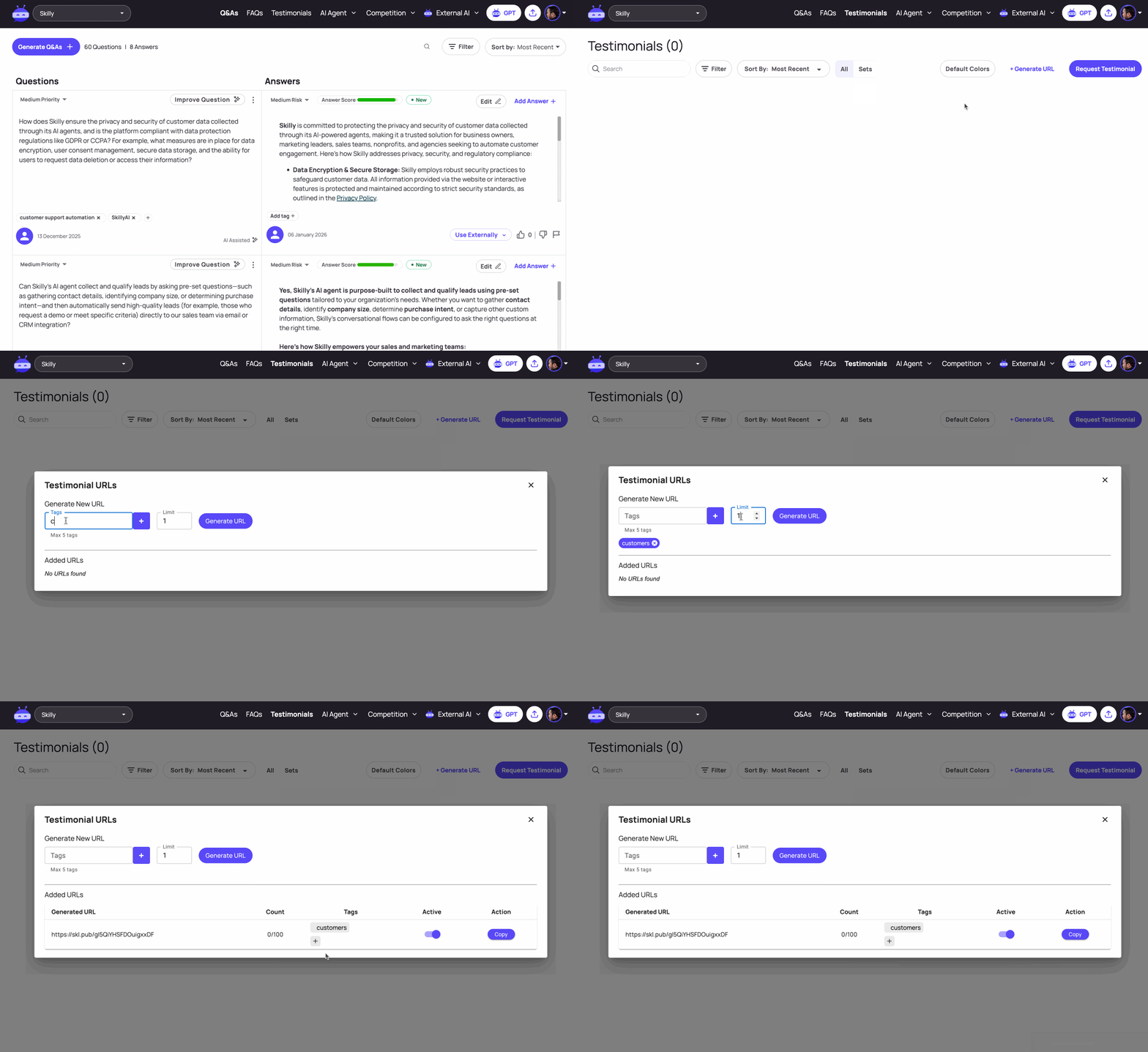
Generating A Testimonial URL
If you want to gather testimonials in bulk (whether or not you know who the invitees will be), your best bet is to click + Generate URL. As shown above, this will open up a window where you can simply set the upper limit of testimonials (this can be any number, and should mainly be considered when you want to avoid collecting more testimonials than you can use).
Tags are optional but help keep your testimonials categorized, given that you can create infinite URLs and sets of testimonials. In this example, we merely added the tag "customers" so that our marketing and customer success teams can locate testimonials from customers rather than business partners or teammates. If we wanted to use this URL specifically for gathering feedback on a product feature like our SMS capabilities, we might add the tags "customers" and "SMS". Using tags to categorize your testimonials also helps skilly learn in deeper context, so that it can reference (and even share) these third party testimonials with users who are asking about the SMS feature.
Once the URL is live, anyone who clicks it will be taken to a brief page to enter their name and any other relevant information. They will then be taken to our Testimonial Submission interface:
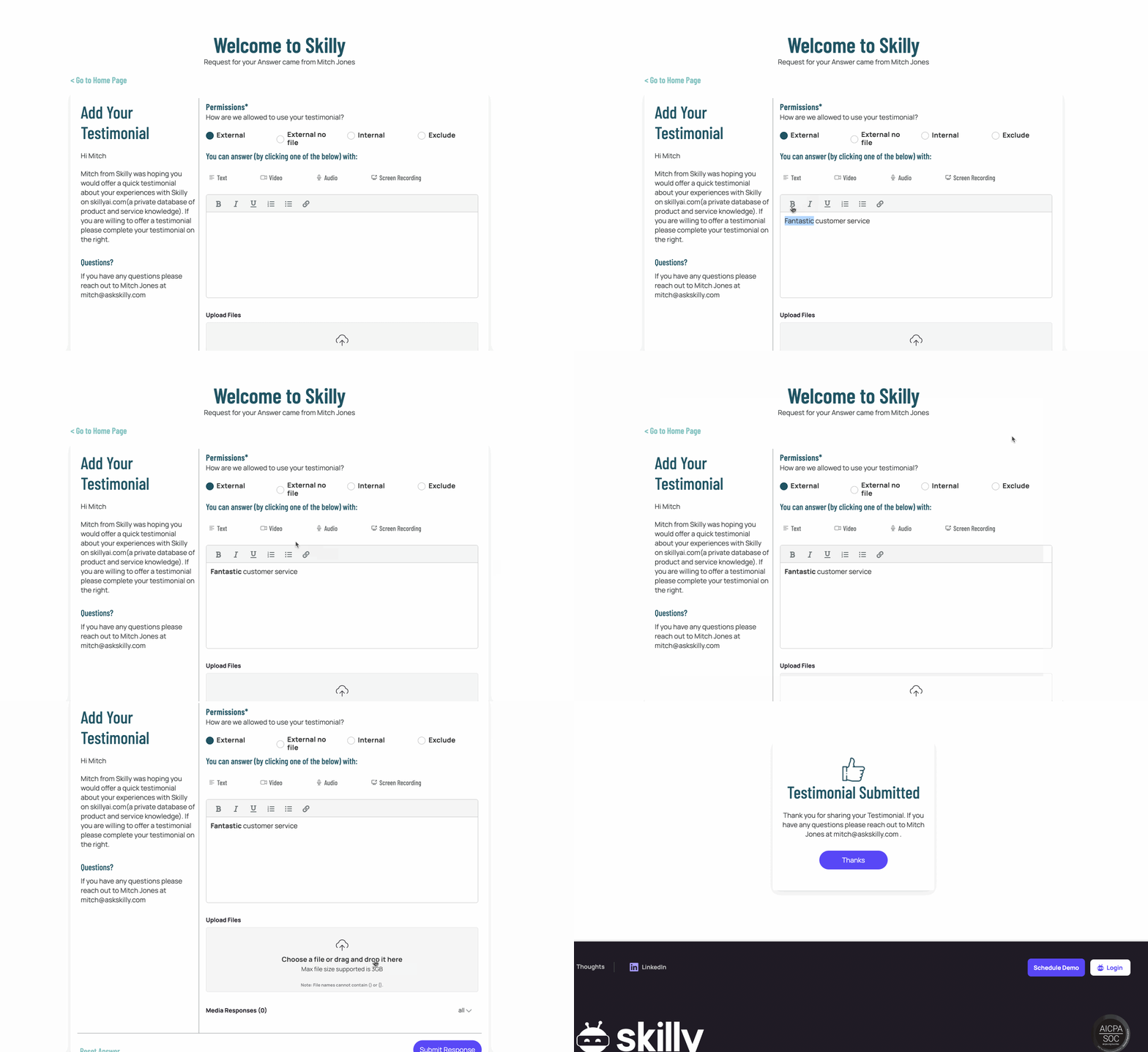
Notice that all major content formats are supported here, with a single click. Whether your invitee prefers to write out a testimonial, or record audio/video, or record their screen, they can do so here. They can even add attachments, and if they so choose, decide to change the publication permissions of the testimonial.
Do those Permissions look familiar? It's because skilly learns from these testimonials the same way it would absorb a document or video you upload to your knowledge base.
Request Testimonial
If you already have a particular recipient in mind for a testimonial, you can instead choose Request Testimonial to send them a personal invitation. Here, you'll fill out their basic information, for the benefit of letting them skip that step and get straight to the Testimonial Submission interface (the same experience as what you see above).
Note there is also an option to Add Testimonial Directly: this will bring up the Testimonial Submission interface on your own device, which is most useful when you have the invitee sitting with you; for instance, you may be in their office, or you both might be at an industry conference together.
Organizing & Publicizing Testimonials
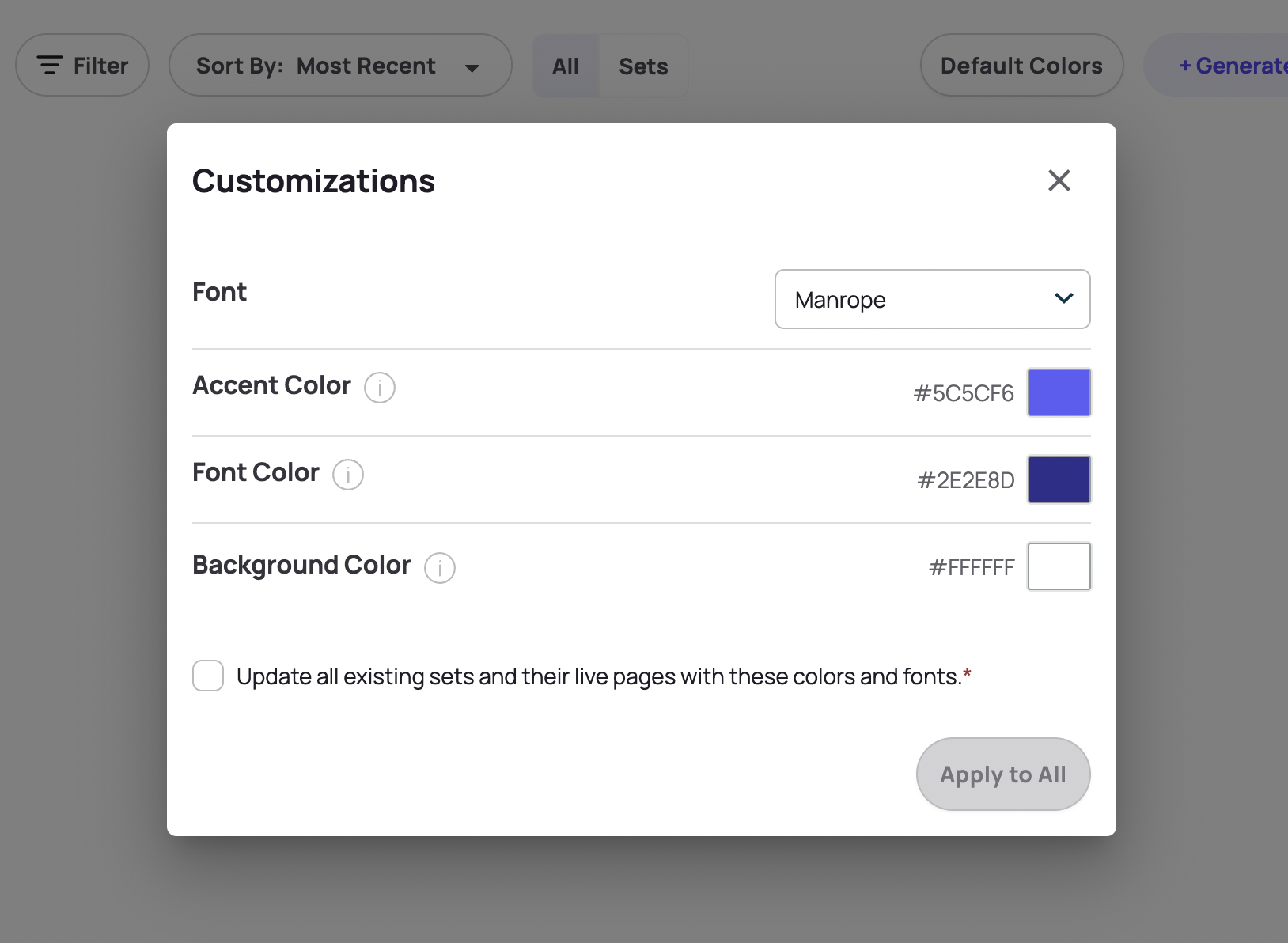
Much like the FAQ section, your Testimonials can be published to webpages using your own branding, organized into sets for publication as a content cluster, and filtered/sorted by tag, type, or name to locate and group the submissions.
Testimonials are one of the unsung heroes of promotional content, and the skilly team has plenty of experience to share if you're eager to hear more scenarios and use cases for them.