
Add Users To Your Skilly Account
You can add both team members and external contributors to your skilly instance. To start, navigate to Users from your Account profile picture or menu, and click the Invite Users button:
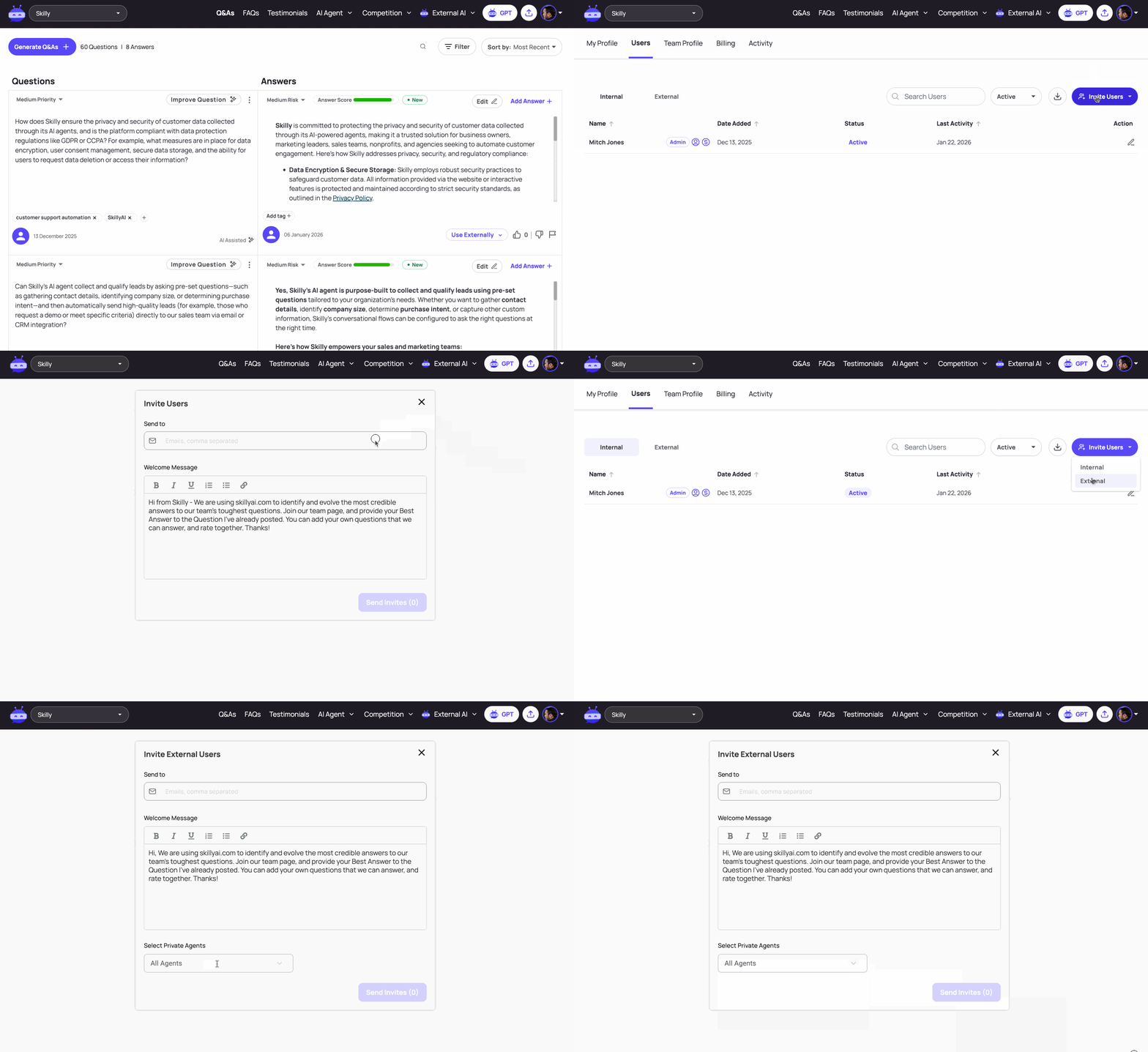
Internal users are your fellow teammates, denoted by having the same email domain (e.g. "@yourorg.com"). By default, internal users will get access to all the Private Agents on your organization's account.
External users are contractors, partners, and any subject matter experts who you'd like to participate in training and building with skilly. Note that you have the authority to choose which of your org's Private Agents can be accessed by an external user:
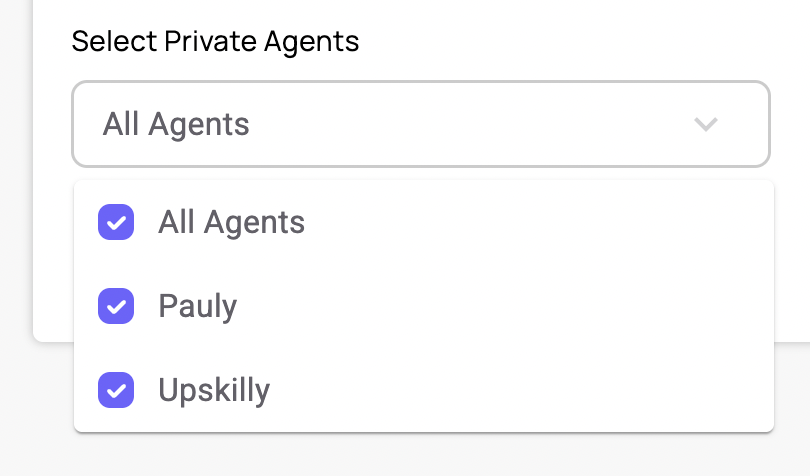
If you're unfamiliar with Private Agents, we'll cover that in detail in another article.