
Work With SkillyGPT Internally
One of the major benefits your org will reap from training skilly is the ability to use it as your own homegrown LLM to assist with daily tasks. Think ChatGPT, but powered by all the knowledge inside your company (and without having to release all that information into the open).
First, find the GPT button in your navigation bar:
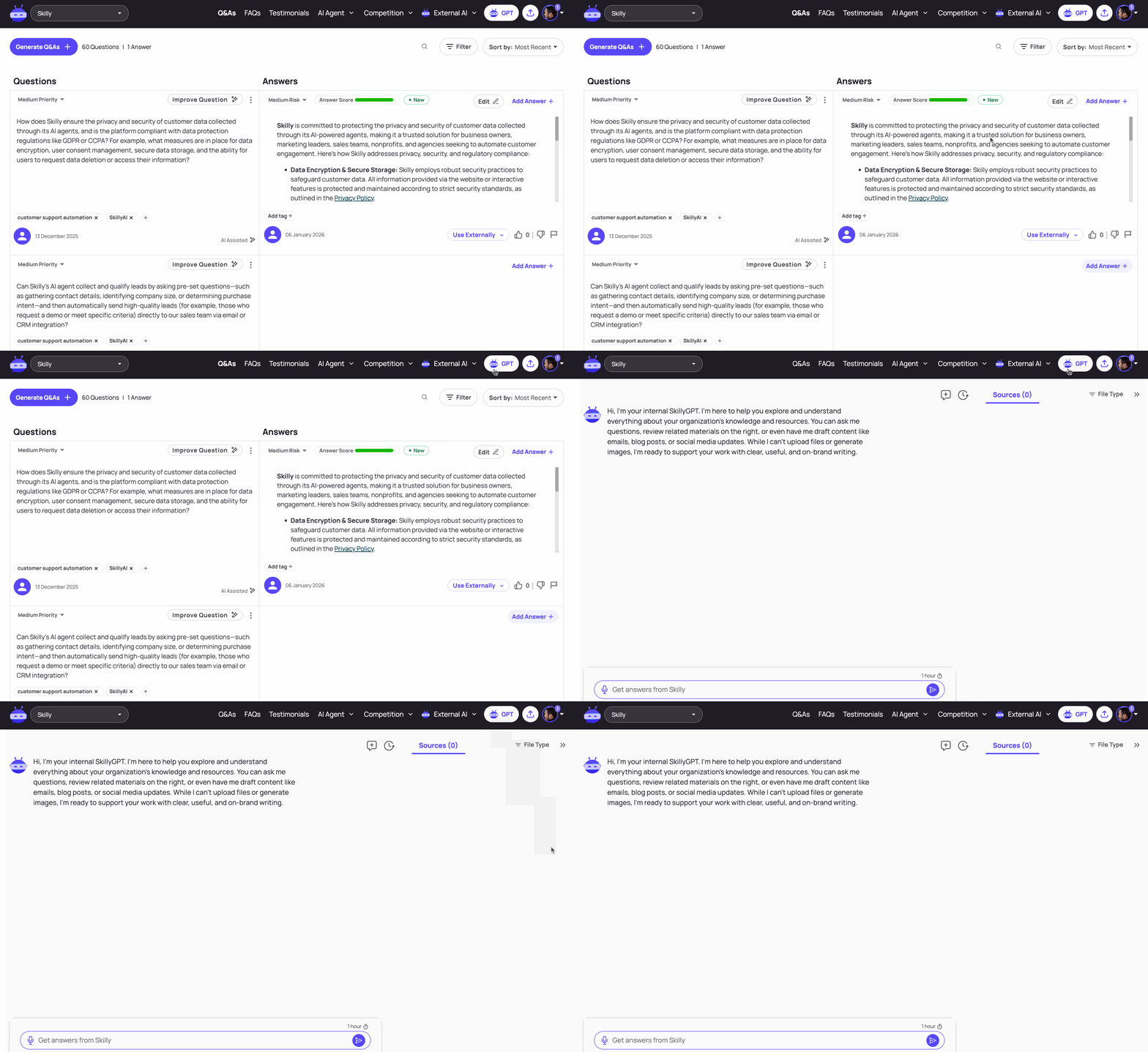
You'll be taken to a screen that resembles your external-facing skilly. However, because Skilly GPT is a guide built specifically for your signed-in team members, it can reference the internal-only files in your knowledge base, making it a fantastic training and research tool.
What You Can Do With SkillyGPT
For those of you who don't regularly use generic LLMs like ChatGPT or Perplexity, we'll touch on some of core use cases for your AI guide:
- Training and onboarding employees who are new to the company or have moved to a new team. With an AI guide as a trainer, new hires can learn in their own personal style: deep-diving on a topic they're struggling with, asking for analogies or alternative explanations of concepts, or even requesting the material in a different language (see the visual below).
- Writing content like emails, newsletters, presentation scripts, sales pitches, social media posts, etc. Whether you've got a bit of writer's block, or want to bounce ideas off a teammate, or just need a writing task off your plate, SkillyGPT is a working partner with infinite bandwidth.
- Sourcing your org's knowledge for deep dives or corrections/enhancements. When SkillyGPT's response interests you enough to be curious about the source file, you'll find the sources right there in the right-side tray. Q&A sources have a particular visual look (see the first source in the graphic below)
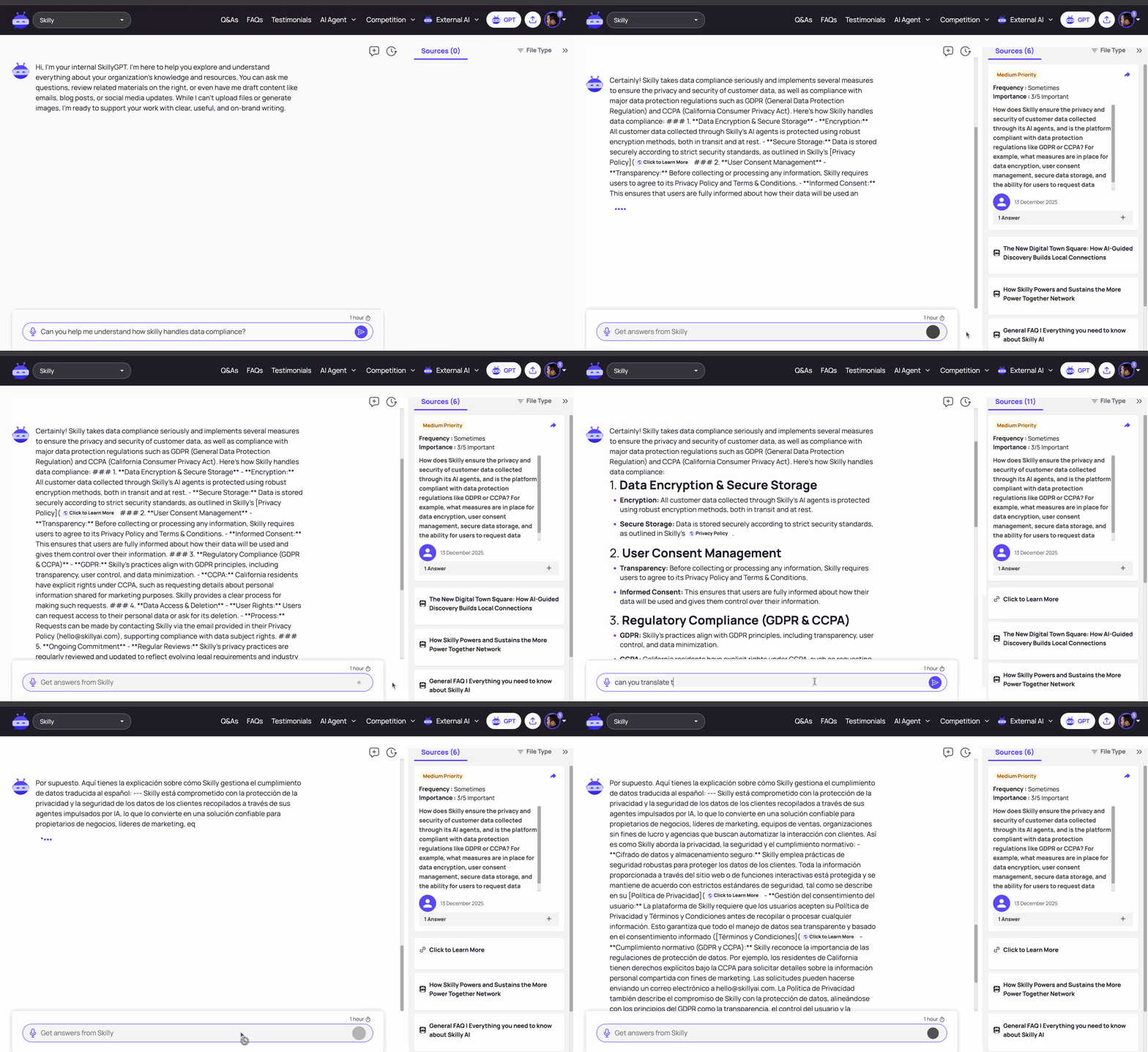
To start a New Chat, you can always click the + chat bubble in the top right of the main chat window. To return to a prior chat thread, click the clock icon right next to the chat bubble icon.
The more you use SkillyGPT, the more reasons you'll find for it as a sidekick to your particular working style and job duties. As always, feel free to get in touch with our team if you have any questions about how to make the most of these features.